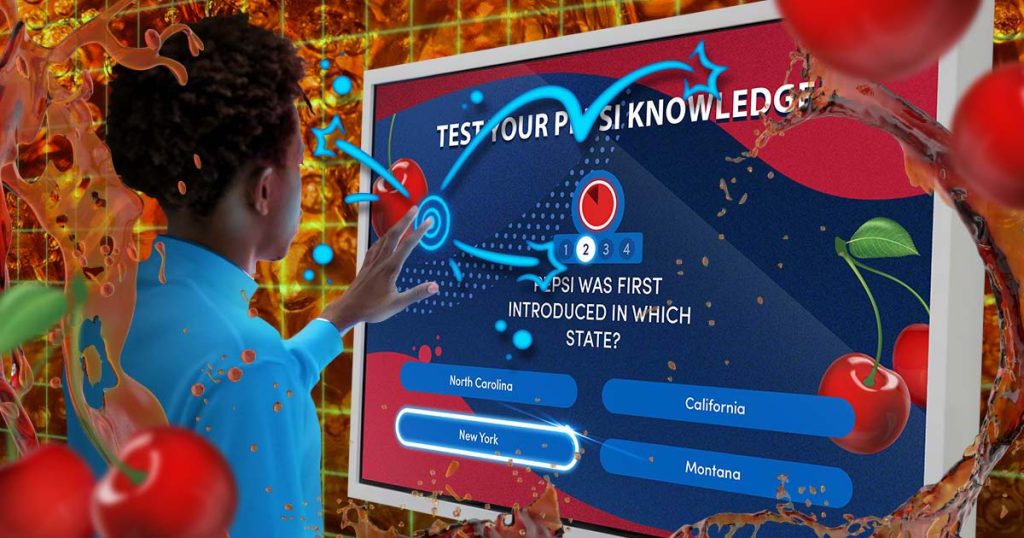
In an era dominated by smartphones and interactive technologies, one might expect digital kiosks in museums, trade shows, and public venues to offer equally captivating experiences. Yet, all too often, these kiosks are relics of a bygone digital age—clunky interfaces, sluggish responses, and uninspiring content that fails to capture the audience’s imagination. Visitors approach with curiosity, only to leave too early, disappointed by the lack of engagement and interactivity.
This disconnect not only diminishes the visitor experience but also represents a missed opportunity for organizations to educate, inform, and connect with their audiences in meaningful ways. As attention spans shrink and expectations for interactivity grow, the need to rethink kiosk design becomes increasingly urgent.
But there’s good news: the potential for transformation is immense. By embracing modern design principles, integrating engaging activities, and incorporating elements of gamification, digital kiosks can evolve from information screens into dynamic experiences that captivate, inspire, and encourage learning.
With the following tips, we’ll delve into innovative strategies to elevate your kiosks to the next level. From intuitive user interfaces and compelling visuals to interactive storytelling and game-like features, we’ll provide actionable insights to help you create kiosks that not only inform and delight your visitors but also leave a lasting impression. By transforming passive interactions into memorable experiences, you’ll enhance information retention and ensure your message resonates long after the screen fades.
1. Meet Expectations: Aligning Kiosk UX with Today’s Apps
In today’s touchscreen-dominated world, visitors are accustomed to the seamless interactions of modern smartphones and tablets. To capture and retain their attention, your kiosks should mirror these intuitive experiences. Incorporate multi-touch gestures like pinch, zoom, and swipe to make navigation feel intuitive. Instead of pages, allow visitors to scroll down for new content, like a social feed on their phone. However, that doesn’t mean you can’t provide a unique navigation experience: When presenting paginated or narrative content, design it as a digital book that users can swipe through. Enhance this experience with smooth page-turn animations and subtle sound effects, transforming simple reading into an engaging journey.
Use Best Practices for Informational Kiosk Design
Before building engagement on top of the core experience, it’s important to not ignore the fundamentals. Kiosks need to be used by a variety of people of varying abilities, interest, and knowledge. Designing the primary user interface (UI) for Consistency, Hierarchy, and Clarity is paramount before enhancements, gamification, and other features should be applied.
Consistency
Consistency in design elements—such as buttons, icons, fonts, and color schemes—ensures that users can navigate your kiosk intuitively. When interactive elements behave predictably across different screens, visitors feel more confident exploring without confusion or hesitation. The “Next” button should always be in the same spot, the same design and color, provide the same feedback and result in the same action.
Hierarchy
Establishing a clear visual hierarchy is essential to guide users seamlessly through your content. Leverage size, color contrast, and strategic positioning to highlight important information and actionable items. Navigation should be modeled after popular apps and websites to ensure it’s intuitive to change topics or return to the main menu. Make topic titles large and prominently placed at the top so new users immediately understand where they are when they approach.
Consistently position progression buttons—for pagination, media playback, and other actions—on the page, typically at the bottom. This consistency allows users to absorb the most relevant information first before moving on or engaging with full-screen videos. Remember, a disorganized hierarchy can quickly turn an informative and engaging kiosk into a frustrating experience that’s too much hassle to continue using. By maintaining a logical and intuitive layout, you enhance user experience and encourage visitors to explore your content fully.
Clarity
Clarity is paramount in UI design. Keep screens uncluttered by embracing minimalism—only include essential elements that serve a purpose. Use easily readable typography and straightforward language to make the content accessible to a broad audience, regardless of their tech-savviness. Avoid jargon and opt for familiar symbols and icons to represent common actions, reinforcing an intuitive user experience.
By adhering to these UI best practices, you create an interface that not only meets but exceeds the expectations set by modern apps. This thoughtful design reduces cognitive load, making interactions more enjoyable and increasing the likelihood that visitors will engage deeply with your content. Remember, a well-designed UI is the bridge between your kiosk’s technology and the user’s experience—make it strong, clear, and easy to cross.
Be Juicy
Responsive and dynamic design elements—often referred to as “juicy” design—add an extra layer of enjoyment. Ensure that scrolling, page transitions, and other interactions are snappy and fluid. Buttons should be easy to read and delightful to press, providing immediate audio and visual feedback. These small but significant enhancements not only make the interface more pleasurable but also encourage users to delve deeper. By making interactions as fun and responsive as a casual game, you increase engagement without necessarily turning the kiosk into a gaming platform. Remember, if your kiosk doesn’t match the interactivity users experience on their personal devices, you risk losing their attention. Keep them captivated with a modern UX that entertains while it informs.
2. Quest for Knowledge: Using Gamification to Enhance Interaction
Adding elements of gamification to your kiosks can transform passive browsing into an interactive adventure, encouraging visitors to engage more deeply with your content, and promoting active learning. Light gamification doesn’t require turning your kiosk into a full-fledged video game (although, often that is a great idea!); instead, it involves integrating simple, enjoyable activities that make the learning process more dynamic and memorable.
Quizzes and Trivia
Incorporate subject-related quizzes that reward correct answers with digital badges, points, or unlockable content. For example, after presenting information about a particular exhibit, offer a short quiz where the answers are hidden within the surrounding displays. This approach encourages visitors to look closer and explore further, turning learning into an active quest.
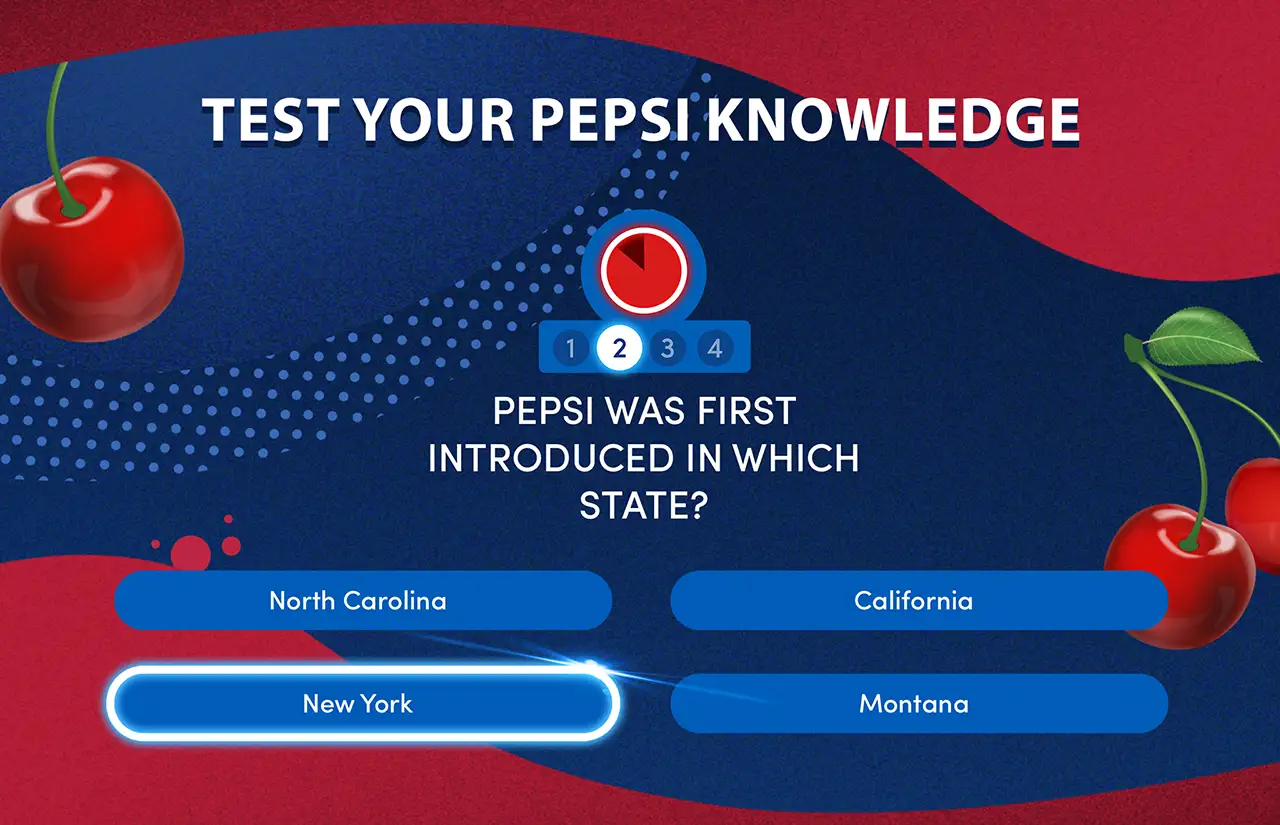
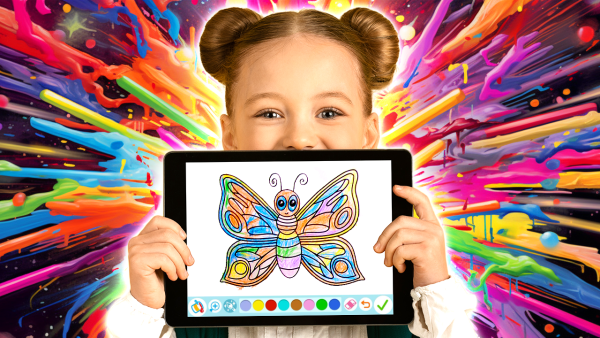
Quizzes and small activities integrated into trade show kiosks are a great way to reinforce brands.
Bite-Sized Reinforcement Games
Reinforce learning with low-effort, enjoyable activities that allow guests to apply newly acquired knowledge. Integrate matching games, picture hunts, multiple-choice questions, puzzles, or word games themed around your exhibit’s subject. These bite-sized challenges are enjoyed by all ages, make the information stick, and can be adapted to virtually any topic or curriculum.
Challenges and Missions
Design interactive challenges or mini-missions that prompt visitors to dive deeper into the subject matter. Pose questions like, “Can you find other animals in this exhibit that share adaptations for aquatic hunting?” Such prompts encourage exploration and make the experience more immersive, as visitors actively seek out information rather than passively receive it.
Rewarding Continuous Interaction
Encourage ongoing engagement by rewarding visitors as they progress through the content. Display animated checkmarks, stamps, or celebratory graphics when a page or section is completed. You might award digital coins or tokens for each topic explored, which can be redeemed at the end of their journey to unlock fun facts, rare images, or bonus content. This sense of achievement motivates visitors to continue diving deeper to see what they can uncover next.
Interactive Progression
Make the transition between topics interactive by requiring a bit of applied knowledge to proceed. For instance, after a page about carnivorous animals, invite guests to drag an image of meat to a raptor to move to the next section. This not only reinforces what they’ve just learned but also adds a playful element that keeps engagement levels high.
By lightly gamifying the kiosk experience, you create an environment where learning is both fun and effective. These small interactive elements can significantly enhance information retention and leave visitors with lasting memories of their experience.
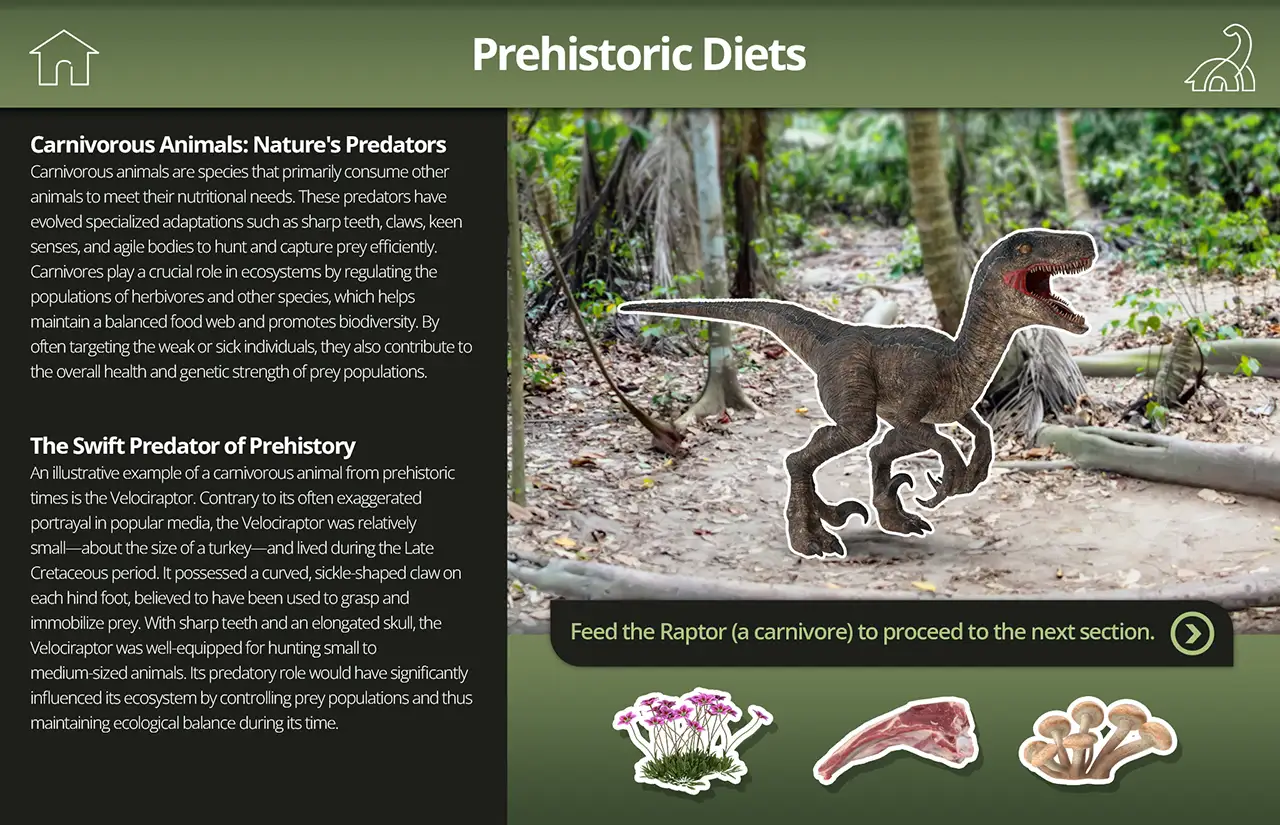 A small activity can help users apply knowledge while making elevating interest and engagement in a standard informational experience.
3. Make It a Multi-Sensory Experience
To truly captivate your audience, transform your kiosks into multi-sensory portals that stimulate more than just sight. By engaging multiple senses, you create richer, more immersive experiences that can leave lasting impressions and enhance information retention.
Audio Enhancements: Enriching the Experience
Sound is a powerful tool for immersion. Integrate audio elements like sound effects, narration, or background music to complement the visual content. Audio cues can highlight important information, provide feedback on interactions, or simply enhance the overall ambiance.
Examples: When a user selects a topic about ancient civilizations, ambient sounds like distant drums or bustling marketplaces can play softly in the background. When learning about various animals, having the ability to hear their calls, barks, chirps, and songs, help make the experience feel more alive.
Remember to ensure that audio levels are appropriate for the setting; sound should enhance, not overwhelm, the environment.
Physical Interactions: Bridging the Digital and the Real and Keep the Eyes Moving
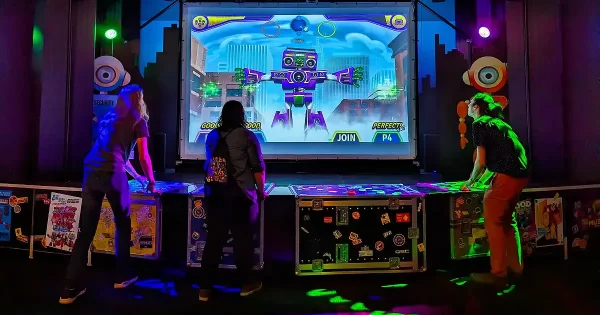
Elevate engagement by linking digital interactions with physical responses in the exhibit space. This synergy not only surprises and delights visitors but also reinforces the connection between the information on the screen and the physical artifacts around them. Motors, speakers, lights, haptics, and even scene diffusers can be triggered and controlled with kiosks.
Example: As a guest explores different iterations of Thomas Edison’s light bulb on the kiosk, the corresponding physical bulbs in the display case light up. This real-time response creates a memorable association between the digital content and the tangible exhibit.
Another idea is to allow visitors to control elements within a diorama or model. For instance, adjusting environmental factors on the kiosk could change lighting, sound, or motion in the physical display, offering a hands-on understanding of the subject matter.
Additionally, in an exhibit about space exploration, as users navigate through different planets on the kiosk, the surrounding area could subtly change lighting colors to match each planet’s unique environment—red for Mars, orange for Venus, blue for Neptune.
4. Use Visuals to Attract at a Distance
When not in use, most kiosks we see sit idle on dim screensavers, static main menus, or the last screen used—lifeless, dull, and communicating little purpose. This is a colossal wasted opportunity. These screens should be vibrant and engaging, practically shouting for the next visitor to come and learn.
Incorporate an “attract mode”—a dynamic, eye-catching display that plays when the kiosk is idle. Inspired by classic arcade machines, this feature can autoplay vibrant slideshows, pose intriguing questions, or present fun facts that pique curiosity.
Example: Imagine a kiosk with images gracefully moving across the screen. Suddenly, a playful question appears: “How fast does light travel through Jell-O? Discover ‘lightspeed’ facts here.” Such prompts entice passersby to engage with the kiosk to uncover the answers.
This approach not only draws in visitors but also sets the tone for an interactive and enjoyable experience. By hinting at the valuable information and fun awaiting them, you increase the likelihood they’ll stop and explore and you’ll see far less empty kiosks.

An attract screen, such as this one for an archeological exhibit, begs for engagement, offers fun facts and exiting information and media to passers-by, and can increase the frequency of use.
5. Break Barriers: Allow Visitors to Interact with Protected Exhibits
One of the challenges in museums and exhibits is balancing the preservation of valuable artifacts and objects with the desire to provide visitors with a hands-on experience. Digital kiosks can bridge this gap by allowing guests to virtually interact with items that are too delicate or valuable to be physically handled.
3D Models for Up-close and Immersive Exploration
By integrating 3D models into your kiosks, you can enable guests to manipulate artifacts with intuitive touch gestures. Visitors can rotate objects to view them from every angle, zoom in to examine intricate details, or even see cross-sectional views that reveal internal structures. This level of interaction not only satisfies curiosity but also provides educational insights that wouldn’t be possible through traditional display methods. Don’t have 3D models or is it beyond your budget? Photos or turntable video is a more cost-effective alternative.
Animated Machinery and Inner Workings
Does that 300-year old printing press no longer work reliably, or perhaps it would be a little too loud and hot to fire up that Bell XP-59A jet engine. For mechanical objects or complex devices, kiosks can simulate their operation, offering insights into how they function. By animating machinery on-screen, visitors can see moving parts in action, understand mechanisms, and appreciate the engineering behind them.
Example: A vintage clock could be displayed with an animation showing its gears and springs in motion, accompanied by explanations of how timekeeping has evolved or the ratios of each gear.
Time manipulation
Allow visitors to control time with kiosks enabling them to see how objects on display evolve or change over time. Users can fast-forward or rewind to see processes like aging, decay, or restoration. This feature can illustrate historical contexts, the impact of environmental factors on certain materials, storms and other weather events and travel, and demonstrate how evolution turned the fossil in front of them into a species we have today.
Example: In an exhibit about microbiology, visitors can see a bacterial colony through a virtual microscope. By moving the slider, they can see how mitosis can exponentially expand the population over time.
Bring Tempting Touchables to the Kiosk
Recreate the thrill of operating historical or off-limits equipment by simulating virtual buttons, switches, and dials. This approach allows visitors to engage with devices that are too fragile, rare, or dangerous to handle physically. They can fire them up, rev engines, turn on lights, and vividly imagine what interacting with the real thing would be like. By offering this immersive experience, you bridge the gap between curiosity and reality, providing a hands-on understanding without compromising the safety or preservation of priceless artifacts.
Historic Rocket Launch: Visitors can initiate a simulated launch sequence of a historic rocket, flipping virtual switches and pressing buttons while learning about each step in the process.
Vintage Computers: Guests can “power up” a virtual version of an early computer, interact with its interface, and understand the basics of its operation.
Nuclear Safety Test: Users can simulate conducting safety protocols, learning about the importance of each action in preventing disasters.
Bringing Sound to Tragically Silent Exhibits
Some objects on display, like musical instruments, can be brought to life through digital interaction. By virtually replicating their functionality, visitors can experience aspects of the artifact that are otherwise inaccessible.
Example: A historic piano displayed behind glass can be virtually played on the kiosk. Guests can use a digital keyboard interface to produce authentic sounds sampled from the original instrument, allowing them to hear the music as it would have sounded when the piano was in use.
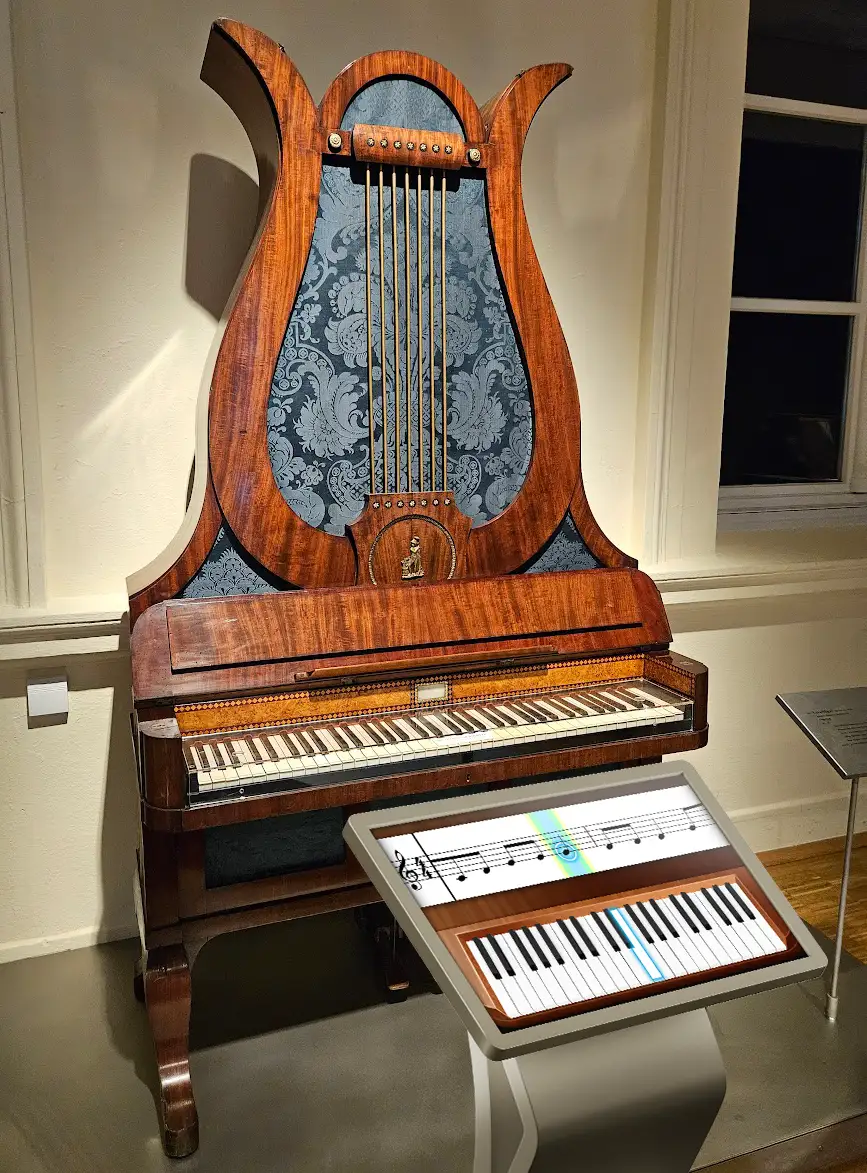
Concept showing an interactive digital kiosk that allows visitors to touch and hear a virtual version of a protected artifact.
Educational Layers and Annotations
Enhance virtual artifacts with layers of educational content. Users can tap on different parts of the 3D model to access detailed information, historical context, or related stories.
Example: For a virtual ancient manuscript, tapping on different sections could reveal translations, explanations of symbols, or notes about the author’s life.
Virtual Interaction for Accessibility
Even when physical exhibits are hands-on—inviting guests to touch, manipulate, or explore them—integrating digital versions into kiosks unlocks these experiences for visitors with mobility challenges. By providing accessible on-screen interactions, you ensure that everyone can participate fully, transforming what might have been an exclusion into an inclusive and rewarding experience. This commitment to accessibility not only enriches each visitor’s journey but also upholds the vital principle of inclusivity in public spaces. By embracing digital accessibility, you make your exhibits more welcoming and engaging for all guests, regardless of physical limitations.
Your Journey to Better Kiosks Starts Here
The possibilities for elevating kiosk experiences are virtually limitless. By incorporating elements like gamification, responsive and “juicy” interfaces, and fulfilling hands-on digital interactions, you can transform traditional informational kiosks into dynamic platforms that visitors want to use. These enhancements not only capture attention but also deepen engagement, making the learning process both enjoyable and memorable.
At Workinman Interactive, we specialize in crafting highly engaging activities and experiences. With over a decade of expertise in designing everything from fun informational kiosks to fully-fledged educational and branded games, our creative team is equipped to custom-design interactions that achieve educational goals, promote brand awareness, and build lasting memories for your visitors. Our engineers ensure that these experiences are optimized for performance and a pleasure to use.
We pride ourselves on being a highly collaborative team that works seamlessly with exhibit designers, curators, and producers. Whether you’re enhancing a permanent exhibit, creating an attraction, setting up a tradeshow booth, or anything in between, we can design and build the perfect kiosk software tailored to your budget, space, and informational goals.
Contact us for a free consultation and rapid pricing.
There are many more tips and ideas to explore, so stay tuned for Part 2 of this article.