


Buying FAQs
The SketchTank Virtual Coloring Aquarium is an interactive projection experience that brings guests’ drawings to life in a large digital ocean environment.
The SketchTank is comprised of a “Scanning Station” where guests scan their drawings and watch them come to life and an “Aquarium Display” where they see their live drawing swimming around an animated environment with other guests’ creations.
Often installed in museums, nature centers, botanical gardens, aquariums, and even in the medical/dental office waiting rooms, the interactive activity will last years, providing engaging and creative interaction.
Here, we are selling a competitively-priced kit to use this technology at your own location. We provide the Aquarium software, PDFs to print an unlimited number of creatures, and the core technology to run it. All you need to provide is the main display, which you can source yourself, saving you money and getting the perfect setup for your space. We also offer completely custom SketchTanks of any theme that we build specifically for you.
The SketchTank Virtual Coloring Aquarium installation is comprised of 3 major components:
- The Scanning Station, where guests scan their drawings and see them come to life on a monitor, before they swim off into the larger “Aquarium Display.”
- We provide the hardware that powers this station. All you need is a desk or cabinet to house it.
- The Aquarium Display, which is often a projector or large TV, where everyone’s fish swim together after being scanned.
- This kit does not include the Projector/TV and it’s installation, as most of our clients prefer to source their own custom to their space or needs. Luckily, the SketchTank kit will work with any display technology that uses an HDMI connection.
- The Coloring Area, is just a space, with tables and dim lighting where guests will color their creatures. We provide you with files to print an unlimited number of coloring pages. You provide the space and crayons/markers/pencils.
The price for the SketchTank: Virtual Coloring Aquarium kit is USD$ 19,990 $16,990 before tax.
If you would like a custom SketchTank, with new different features, themes, species, art or interactions, the price varies based on your needs. Reach out to us through our contact form or e-mail us for a custom quote.
Sales Tax is applicable where it is requires and it will be added to your invoice. We are a New York-based company and will charge sales tax to customers located in New York State. Sales tax may not apply to your state. We will calculate and let you know via itemized invoice.
Yes! Our SketchTank can be customized in a variety of ways:
- Different Environments: From specific ocean habitats to freshwater, land and sky scenes, city blocks, or space. We are only limited by your imagination!
- Different species or things: Species to match the environment, vehicles of all sorts, mermaids, fairies, butterflies, and more.
- Your brand or educational information added to coloring pages and environments.
- Multiple sets of environments and species, with the ability to easily switch between them.
- Any art style: From cartoon to photorealistic.
- Digital drawing: Touchscreen drawing support to save paper while offering a variety of creative tools and the ability to customize the drawing template and give your creation a personality!
- Touchscreen environment support: Touch interactions with the environment and the species on it. Information boxes, animal reactions to being tapped, and more.
- Multi-screen environments: Panoramic environments to span large spaces.
- Interactions: A variety of interactions are possible, such as coloring and scanning food into the environment to feed the animals.
The possibilities are endless. Check out our list of existing and imagined customizations here or reach out to discuss what we can do to make the perfect experience for you.
Everything is done custom, hand-panted, and programmed to make your custom SketchTank your very own. The price depends on what it is we are customizing. Simple customizations that involve a similar theme, such as your local waterway and species range from $10,000 to $15,000 on top of the base kit price.
High detailed art styles, 3D models, and completely different coloring objects (such as humans, vehicles, townhouses, etc) may range from $15,000 to $25,000 on top of the base kit price.
On the high end, we have done completely digital coloring support with completely custom themes, additional interactions, touch screen support, and in specific art styles for just under $60,000 for it all.
The possibilities are endless. Check out our list of existing and imagined customizations here or reach out to discuss what we can do to make the perfect experience for you and your budget.
Yes!
Additional species can be added for a minimal charge. The more you add, the less each one will cost. Each new species or item comes with a coloring page and its own behavior in the environment. Costs vary, but to give you an idea of cost, we usually add on a pack of 6 new coloring pages for $6,000.
Completely customized SketchTanks, with new creatures, art, and themes, are something we often do. Reach out to us through our contact form or e-mail us for a custom quote.
Included:
- Preconfigured MiniPC (with the software installed and configured)
- Keyboard
- Mouse
- Scanner
- Monitor for the scanner
- User guide
- Dedicated support from us
Not Included:
- Aquarium Display (either a projector or TV that shows the aquarium)
- HDMI cable to run from the PC to the Aquarium Display
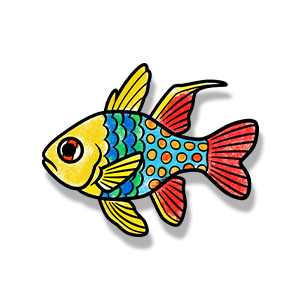
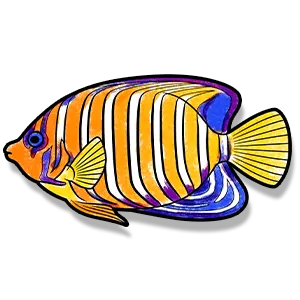
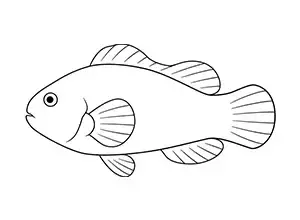
Coloring pages for 6 fish types are included. Each fish has 2 versions of the coloring page: 1 with simple outlines (for more creativity) and a more complex version that adheres to more realistically to the pattern of the species. It’s up to you which versions you’d like to use as they are interchangeable.
You will receive PDF files to print as many as you need. If you ever lose the PDFs, just reach out to us.
The kit includes two modes: the Ocean Reef environment with 6 fish types, with 2 styles of coloring page for each type. One style has more guiding lines to help define the species, while the other lacks those internal lines, offering more creative freedom. You can mix and match which ones you use, or use them all.
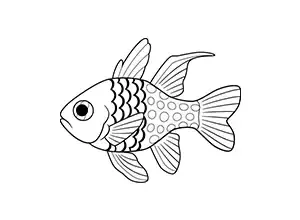 | 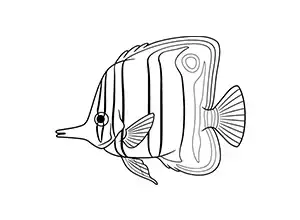 | 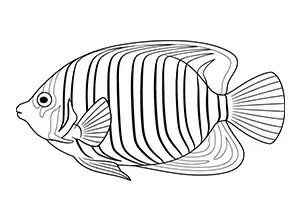 |
| Pajama Cardinalfish | Copperband Butterflyfish | Regal Angelfish |
 |  |  |
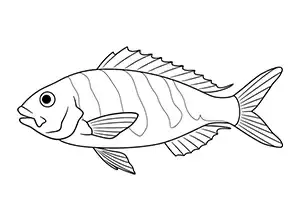 | 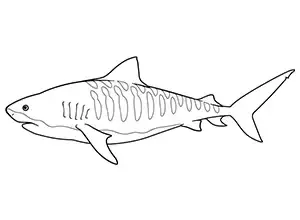 | 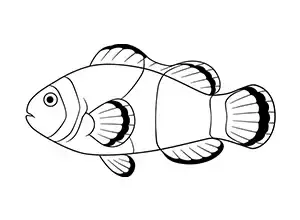 |
| Oblique-banded Snapper | Tiger Shark | Common Clownfish |
 |  |  |
The second mode has Sharks in an Open Ocean environment. The Tiger Shark also appears here, plus there are 5 additional shark species.
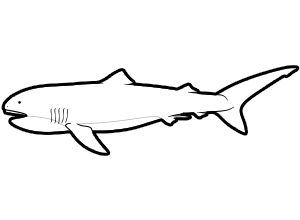 | 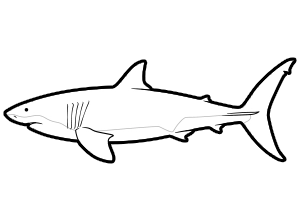 | 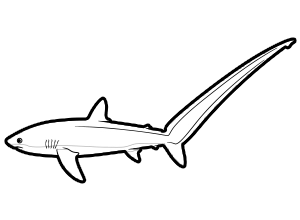 |
| Megamouth Shark | Great White Shark | Thresher Shark |
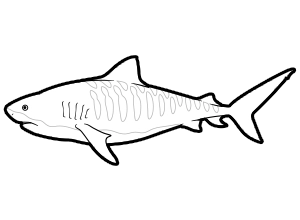 | 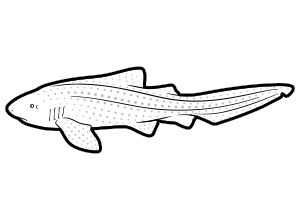 | 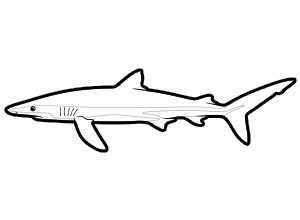 |
| Tiger Shark | Zebra Shark | Blue Shark |
The Aquarium Display, which can be a TV, Monitor, or Projector, is a key element to our Sketch Tank products. There are several reasons why we don’t include it in the kit:
- The majority of our clients (museums and other venues) have their own displays they would like to use.
- Projector selection is highly dependent on several factors of the room, including lighting, projection scale, mounting options. Flying us out there to measure and install the perfect setup is cost prohibitive for many. Your local AV-service provider can give you the best guidance on the perfect install, while saving you a lot of money.
- Bright projectors and large displays can be expensive, which could easily double the price of the kit. We decided it’s best for our clients to avoid the middleman, and we designed the product to work across most displays, so they can acquire the perfect one that fits their budget.
The Aquarium Display needs to be:
- 16:9 aspect ratio
- 1080p or higher
- HDMI compatible
Most consumer and professional displays and projectors meet these requirements. Have any doubts? E-mail us the model number and we’ll check for you.
The SketchTank system is designed to work in a variety of spaces and lighting conditions. It can work on any TV, allowing it to fit in a small waiting room or lobby. If you are using a large projector, it can scale up to an auditorium.
If you plan on using a projector, you should consider the lighting of the space that will house the exhibit. Bright lights, especially natural light, will wash out the projection, dulling the colors and reducing contrast. For larger or brighter spaces, we recommend working with a local AV reseller to take proper lighting measurements and select a projector that has enough lumens to retain a bright and colorful image. If you can’t dim the space low enough to get a projector to work, we recommend using a large screen LED TV or multi-monitor display.
Don’t make the room too dim though. Guests still need to see what they are coloring. We recommend putting small downward facing lamps on the coloring tables for guests to be able to see what they are doing.
Foremost, we recommend seeking a local professional projector reseller and get one that fits the spacing, lighting, and installation requirements of your space.
Brighter is always better. the SketchTank’s colors really stand out on a bright projector. For a moderately-sized room, look for projectors over 2,500 lumens.
Yes, any display device with a 16:9 aspect ratio and HDMI connection will work. This includes a projector, a TV, a monitor, and even multi-display panels. A few of our dental and medical office clients (who have SketchTanks in their waiting rooms) are using large TVs from their local retailers.
You can always swap one display for another, so if you need to, you can set it up initially with a TV or monitor and change it out to a projector when ready.
At this time, we do not have an installment plan. We require payment prior to shipping the SketchTank kit.
It will usually arrive within 2 weeks from payment. Some components may arrive separately.
We will provide tracking information for everything and give you a heads up if any delays are expected.
If you are getting a custom SketchTank, time estimates will be provided with your cost estimate. Typically it takes about a month.
No. Your SketchTank: Virtual Coloring Aquarium will not require a subscription or have any hidden fees.
We offer a 15-day return window with a $200 restocking fee. Shipping is to be paid for by the customer. All items must be in their original packaging with included accessories.
Custom-built SketchTanks and other custom exhibits are non-returnable.
The environment included in the kit is a near-shore ocean habitat.
The fish included are:
- Tiger Shark
- Cardinalfish
- Butterflyfish
- Angelfish
- Snapper
No. Due to privacy, SketchTank: Virtual Coloring Aquariums do not contain any methods of data collection.
Yes. We will provide FREE updates to patch any bugs and ensure longevity of your purchase.
We have plans to add additional FREE content in the future. The first of which was our Sharks mode, added in 2026.
We are also planning reasonably-priced add on packs to offer more environments, new species, and interactions to keep your SketchTank fun and entertaining for years to come.
Virtually anything! While recommend brightly-colored crayons, the Sketchtank works with all of the following:
- Crayons of all types and brands
- Color pencils (thick ones will work best)
- Color markers (thick ones will work best)
- Fast-drying watercolor paints (if you are up for the mess)
We recommend avoiding
- Thin coloring utensils, which will take a long time to fill the whitespace inside creatures.
- Anything containing glitter, which will cause reflections when being scanned.
Installation FAQs
Workinman does not offer on-site installation or custom installations, but don’t worry, it’s designed to be set up with ease. If you can plug in a desktop computer, you can install the aquarium. Our Getting Started Guide has simple instructions and diagrams to help you. If you need additional help, just reach out to us. We can guide you or your installation team through it.
No. Your SketchTank: Virtual Coloring Aquarium is a stand alone system and does not need an internet connection to function properly. Most of our customers do not have their installations connected to the internet on an ongoing basis, for privacy and security. Software updates to the SketchTank software can be installed via a common USB drive.
The maximum HDMI cable length for your Projector/TV that we recommend is 50 ft, which is the standard max length for HDMI cables.
We recommend HDMI version 1.3 or higher if you plan to display in 1080p mode and HDMI version 1.4 or higher if you plan to display in 4k mode.
The “Scanning Station” is where the guests will place their colored fish to be scanned. It is also the heart of the SketchTank system. It is comprised of:
- The miniPC running the SketchTank software
- A monitor where guests will see their paper fish swim and explore
- A document scanner which scans the guest’s drawings using the QR Code printed on the paper to provide a precise cutout of the fish to add to the monitor’s display
- A keyboard and mouse (hidden from guests) for admins to change settings, shut down and start up the exhibit, and moderate content.
While we provide the above equipment, we do not provide an enclosure, cabinet, or desk to house the scanning station. How you house this is entirely up to you and your budget. A simple desk will work, although we do recommend hiding or locking the miniPC and the keyboard/mouse away so guests don’t fiddle with them.
When choosing or building a desk or cabinet for your scanning station, we recommend:
- choosing a height that allows for children of various ages to be able to position their drawing on the surface within the range of the scanner
- having room to place the 32in monitor, so kids can see their drawings come to life.
Some custom installs choose not to use desktop scanners, rather they build their own flatbed scanning station that uses an integrated camera to scan the drawings. This is no problem and we can substitute the document scanner with an appropriate mountable camera as needed. Need someone to build this custom cabinet for you? No problem, let us know.
For the best experience, the scanning station should be placed along the wall to the immediate left or the right of the Aquarium Display (projection or TV) for ideal guest traffic flow. You can adjust the aquarium/scanning station visuals to match which side of the screen the station is placed on within the Configuration Menu.
Depending on your space, you may need to position the scanning station elsewhere, such as opposite the Aquarium Display. Not a problem. It’ll work just fine anywhere.
Installation is simply plug-and-play and should take roughly 1 hour.
No tools will be necessary to install everything that is included with your SketchTank: Virtual Coloring Aquarium.
Installation of your Aquarium Display (Projector or TV to display the main Aquarium) is dependant on your specific location and installation needs. Reach out to us if you need any assistance.
Most of our clients run the SketchTank: Virtual Coloring Aquarium silent to keep noise levels in the space low. The software does have audio support and all you need is to plug in a pair of speakers (not included) into the 2.5mm jack on the miniPC to enable it.
You may need to adjust your projector position. You can achieve this by either physically moving, tilting, or rotating the projector.
If equipped, use the projector’s adjustment settings in the menus (such as keystone settings).
You may need to adjust the focus on your projector. You can achieve this by physically moving the projector closer or further away or, if equipped, using the projectors focus adjustment settings. Check the projector’s manual or call your AV support representative for assistance.
Support / Troubleshooting FAQs
Yes. You can print the coloring pages smaller. We recommend a half-page as the smallest size that still maintains good quality. Set your printer to print two coloring pages per sheet, then cut the sheet in half to save on paper. Please note that the quality of the scan will decrease if the coloring pages are too small. You can use a raised platform to bring the coloring pages closer to the scanner. If you do, make sure the tracking codes in the corners of the coloring pages remain in view of the scanner.
We provide a 90-day warranty on our deliverables. This will cover manufacturers defects and continued operation of the software. If the problem stems from your projector or installation itself, while our support doesn’t explicitly cover these items, it’s likely something we can help identify and guide you towards a solution. Our warranty does not cover user-caused damage, but do reach out to us with assistance to replace damaged hardware. Problematic hardware will need to be shipped back to us at your expense, if a replacement is warranted.
We will expedite a resolution, often sending out replacement hardware as needed. Beyond the warranty, email or call us.
Purchasing a replacement product with the same model number will be the best solution. If that model is no longer available for purchase, we recommend purchasing a product with exact or similar specifications. Reach out to us and we’ll help.
To clear all fish from the aquarium, press the [Backspace] key on the keyboard connected to the Scanning Station miniPC.
To open the Configuration menu, press [Enter] on the keyboard connected to the Scanning Station miniPC.
This is usually caused by a bad print of the coloring page. Ensure there aren’t any streaks or sections of missing outline, and that the outlines are solidly black and not faded.
If the page print looks good, try replaying the First Time Setup again to properly set the white balance with the lighting of the room. You can find the First Time Setup within the Configuration Menu (Press [Enter]).
This is usually caused by the lighting conditions being different from when you performed the First Time Setup. Set your lighting conditions to what they will be during hours of operation and replay the First Time Setup again to recalibrate the white balance. You can find the First Time Setup within the Configuration Menu (Press [Enter]).
This is usually caused when the Windows operating system identifies your displays in a different order from when you first set up your SketchTank: Virtual Coloring Aquarium. To fix this, go to the Configuration Menu by pressing the [Enter] key on the keyboard and cycle through the Toggle Screen Layout setting until you see the aquarium/scanner screens on the proper displays.
No. Your SketchTank: Virtual Coloring Aquarium is yours for life!
We recommend exiting the application first, then shutting down the MiniPC.
To exit the application, press and hold the [Esc] key on the keyboard for 2 seconds. Then proceed to shut down Windows.
You can find the printable coloring page PDF files on the included MiniPC inside the Documents folder in the File Explorer.
Load them up in Adobe Acrobat Reader or in a web browser to print them.
For best results…
- Print to standard 8.5 x 11in copy paper. A4 paper will also work.
- Use “scale to fit page” setting when printing (if available)
- Laser printers tend to work better and faster, but inject will work as well
- Make sure the printer prints the black lines evenly
New fish will enter from the tube at the bottom of the aquarium and slowly make their way to the top of the aquarium. Once they reach the top, they will swim out of view and be removed them from the aquarium. When the aquarium is full and a new fish has been scanned, the oldest fish will swim out of view and be removed from the aquarium to make room for the new fish.
Fish are not saved once they are removed from the aquarium or the application is closed.
The scanner’s output is determined by things like the paper, coloring tools, and lighting conditions in the room. To offset this the setting menu has brightness and saturation controls.
We are here to help! Reach out to us via e-mail and a member of our team will respond as soon as they are available.
